




If you’re building a brand that thrives on precision, performance and narrative cohesion, then the platform you choose is not a matter of preference but it’s a strategic imperative. In 2026, the debate between Webflow vs WordPress extends far beyond backend logic or page builders. It shapes how fast your content loads, how effectively your SEO scales and how seamlessly your team collaborates.
This isn’t about choosing between two content management systems but it's about choosing the digital engine that will drive your brand forward for years. Your platform is either a growth multiplier or a bottleneck. And making the wrong call can cost more than just a redesign, it can dilute your entire user journey.
Key Takeaways:
- WordPress still leads in global market share but Webflow dominates in design agility and no-code capabilities
- Webflow offers visual design freedom and cleaner code; WordPress shines in ecosystem and plugin extensibility
- Webflow SEO is native and lightning-fast; WordPress SEO relies heavily on plugins
- A Webflow agency can rapidly scale your visual identity without developer bottlenecks
- Website customization is deeper with WordPress if you're developer-heavy; Webflow is smoother for lean creative teams
- If you're seeking a Webflow alternative to WordPress that aligns with 2026's UX demands; Webflow might just be your next move
Rewind ten years and WordPress was the de facto king of the web. But in 2026, your audience isn’t waiting ten seconds for a homepage to load. They're bouncing. The modern web is dynamic, experiential and fast. For brands looking to craft a digital-first identity, the decision between Webflow vs WordPress isn't theoretical but it’s strategic.
Webflow wasn’t built to replace WordPress. It was built to transcend it. Born for designers and marketers, not just developers, Webflow redefines how brands create and control their digital assets. On the flip side, WordPress has evolved from a blogging engine into a vast ecosystem; a CMS beast powered by plugins, themes and a dev-heavy culture.
So what should you bet your brand on? Let’s dig deep.
Design Freedom and Customization
When it comes to shaping a digital identity that breaks conventions and breathes individuality, design freedom isn’t a nice-to-have but it’s a necessity. In 2026, the battle between Webflow vs WordPress is no longer about what you can technically build, it’s about how fast, how precisely and how independently you can shape your narrative. Modern brands can’t afford to be boxed in by static templates or inflexible themes. They need fluid, responsive systems that reflect their ambition, adapt to their pace and evolve in real time.
Both Webflow and WordPress offer a route to Website customization, but the nature of that journey could not be more different. One is seamless and visual whereas the other is layered in code and dependency. One puts the designer in the driver’s seat and the other still leans on the developer's toolkit.
Let’s unpack how each platform delivers on the promise of creative control.
Visual Control: Webflow's Game-Changing Advantage
Ask any modern brand what they crave and the answer is control. Webflow delivers pixel-level precision without a single line of code. Designers are no longer slaves to templates or stuck waiting on dev queues. Every element is responsive; every transition fluid. This is where Website customization hits a new high.
Webflow’s Designer interface is a game changer. It’s built for creators who demand freedom, not just developers. Want parallax scrolling, interactive hover states or Lottie animations? You’re doing it in real-time without plugins or third-party tools.
Contrast that with WordPress. While WordPress supports design plugins like Elementor or WPBakery, they often feel bolted-on. The dependency on plugins increases weight and fragility. Break one plugin; break your site. This isn’t creative agility; it’s a game of Jenga.
Code vs No-Code: Who Really Wins?
In WordPress, deep Website customization means diving into PHP, CSS or custom JavaScript. That’s great if you have an in-house dev team. If not? You’re locked into a cycle of endless handoffs. Webflow flips this. You’re seeing the final product as you build. No staging environments. No guesswork. Just what you see is what you get, that is exactly as your users will experience it.
And if you still crave code-level control, Webflow lets you inject custom code blocks wherever you want. You're not limited. You're liberated.
SEO and Performance in the Real World
If your brand’s visibility isn’t climbing search engine ladders and loading pages in milliseconds, you're already behind. In the contest of Webflow vs WordPress, SEO and performance are no longer optional metrics, they’re make-or-break elements that define user experience and digital growth.
2026 demands more than just optimized headlines and mobile responsiveness. Your platform needs to be a performance engine, tuned for Core Web Vitals, structured for semantic clarity and streamlined for global delivery. Webflow and WordPress approach these needs from radically different ends of the spectrum. One is designed to work right out of the box with precision and polish while the other depends on layered customization and third-party support. The question isn't just who does it better but it is who does it more consistently, more intuitively and with fewer trade-offs.
Let’s drill into the technical realities behind speed, structure and visibility.
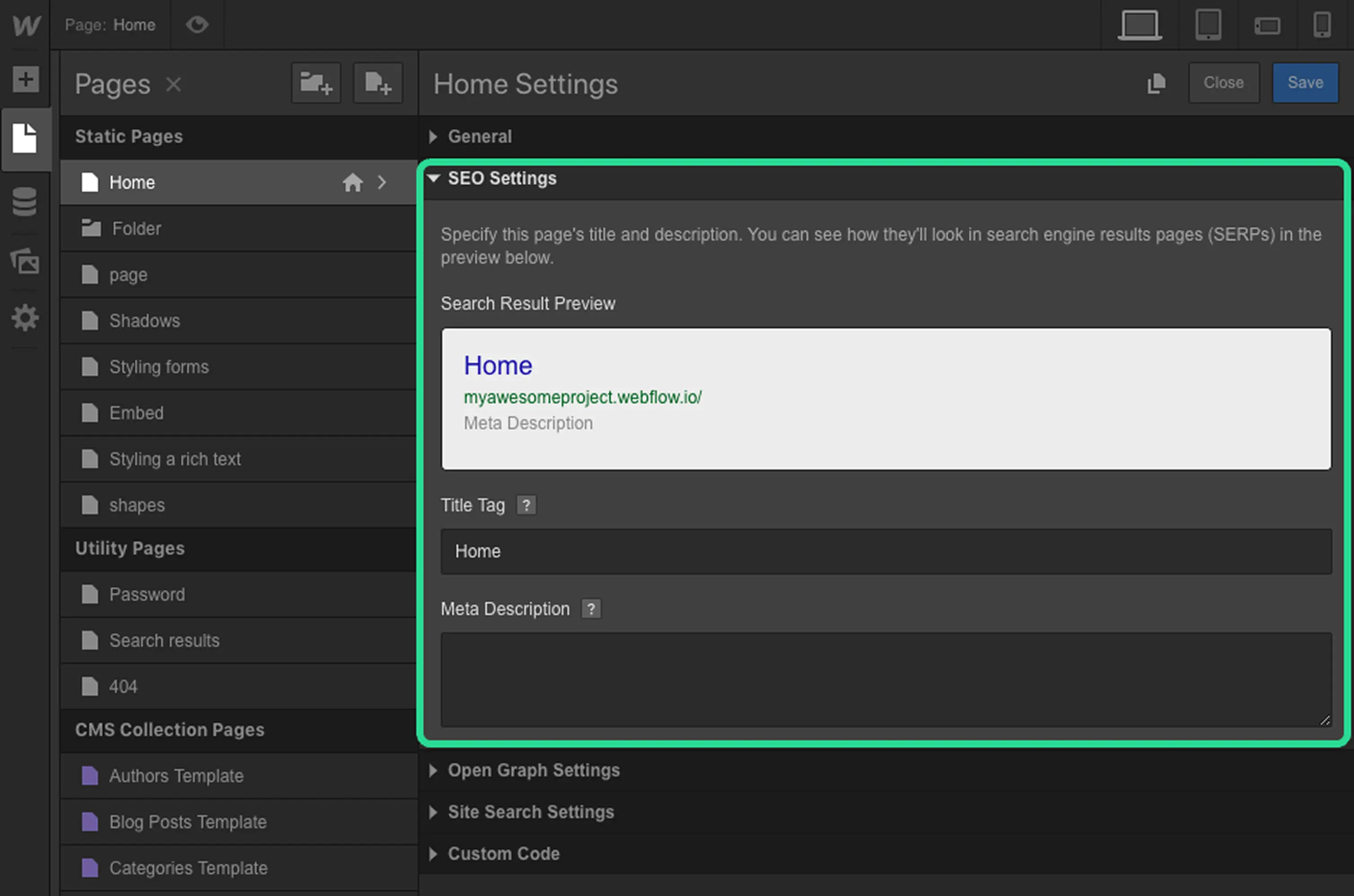
Webflow SEO vs WordPress SEO in 2026
Let’s talk about real-world ranking. Webflow SEO is clean, native and fast. No bloated plugins, no spaghetti code. Webflow generates semantic HTML5, schema markup and automatically optimizes your site structure for speed and indexability. You want structured data? It’s built in. You want lightning speed? You’re hosted on AWS-grade infrastructure with global CDN baked in.
In WordPress, SEO is a plugin arms race. Yoast or RankMath can help, but they can’t fix bad page builders or sluggish themes. Your SEO score is only as strong as your weakest plugin.
Google’s Core Web Vitals are ruthless in 2026. Speed, interactivity, visual stability; these aren’t optional anymore. Webflow wins because it’s built for performance from the ground up.
Hosting and Uptime: Native vs Third-Party Chaos
Webflow’s hosting stack is fully integrated. One-click SSL, automatic backups and zero configuration. There are no plugin conflicts, no random server errors. WordPress requires external hosting. Whether you're on Bluehost or SiteGround or Kinsta, you’re still wrestling with updates, PHP versions and caching.
Downtime? Vulnerabilities? You own them on WordPress. On Webflow, they own it for you. That’s peace of mind as a service.
Ecosystem, Plugins, and Developer Support
Here’s where WordPress still dominates. Its ecosystem is a cathedral. Tens of thousands of plugins, themes for every niche, a global army of developers. If there's a feature you need, there's probably a plugin for it. This is the strength of WordPress and also its Achilles' heel.
Plugins conflict. Updates break things. Security becomes a patchwork. Managing a WordPress site in 2026 is like piloting a spaceship where every control panel was built by a different manufacturer.
Webflow trades ecosystems for coherence. It doesn’t have ten options for every feature but has one built-in and bulletproof. The ecosystem may be smaller but it's sharper. And when you partner with a top-tier Webflow agency, you’re leveraging a team that knows how to stretch the platform to its outer edges without compromising performance.
Security, Scalability and Maintenance
If you're scaling, you're either planning for growth or bracing for it. WordPress can scale, but at a cost. More plugins, more caching, more server tuning. It scales horizontally, not elegantly.
Webflow was built for scale. The infrastructure is enterprise-grade from day one. You don’t need to worry about DDoS protection, SSL certification or CMS versioning. You’re not managing but you’re focusing. That’s the difference.
Security? Webflow is ISO 27001 and SOC 2 Type II certified. WordPress sites are frequent targets for exploits, especially those running outdated themes or plugins. Maintenance on WordPress is a never-ending cycle; Webflow just works.
Cost, Ownership and Long-Term ROI
Here’s the kicker. WordPress is technically free. But nothing about running it at scale is. Premium themes, premium plugins, monthly dev retainers, managed hosting; it adds up. And every customization may carry a maintenance cost down the line.
Webflow’s pricing is transparent. You pay for the platform, the CMS and hosting. No surprises. No emergency fixes at midnight. Your ROI is clarity and your cost is predictable. For startups and global brands alike, that’s a game-changer.
A Webflow alternative to WordPress isn't just about price. It's about knowing your total cost of ownership. With Webflow, you know it before you commit.
Conclusion: Which One Should You Choose?
If you’re building a content-heavy site with a need for legacy integrations and a mature dev team - WordPress is still formidable. But if you’re creating an experience-driven, visually sophisticated, performance-obsessed brand then Webflow vs WordPress ends with one winner.
agency ensures that you're not just choosing a platform but you're investing in velocity, elegance and clarity.
The web has changed. Your audience has evolved. It's time your platform did too.
FAQ
Is Webflow better for SEO than WordPress?
Yes, Webflow SEO is inherently strong due to clean code, semantic structure and built-in performance. WordPress requires plugins and extra optimization layers.
Can I switch from WordPress to Webflow easily?
Not automatically. While you can migrate content manually or with scripts, design and structure will need to be rebuilt natively in Webflow. A Webflow agency can streamline this process.
Is Webflow suitable for large-scale websites?
Absolutely. Webflow supports CMS-driven content, global CDN and enterprise-grade security. It's built for scale and performance.
What's a good Webflow alternative if I decide against it?
If Webflow doesn't align with your workflow then consider Framer or Wix Studio. But none match Webflow’s blend of visual control and clean code.
Which platform offers more customization?
Website customization on WordPress is deeper if you’re developer heavy. For design led teams, Webflow is more intuitive and flexible out of the box.

.png)
.png)
.png)